Add your topics
Enter topics yourself or import a reviewed CSV list. You stay in control of what your website is going to write about.
Give WP Auto Blog AI your topics. It can turn them into complete WordPress articles with writing, formatting, images, SEO settings, quality checks and scheduling handled automatically.
You choose the topics. You set the rules. WP Auto Blog AI handles the repetitive work.
Version 2.0.5 · Bring your own API keys · OpenAI, Claude, Gemini, DeepSeek & Grok
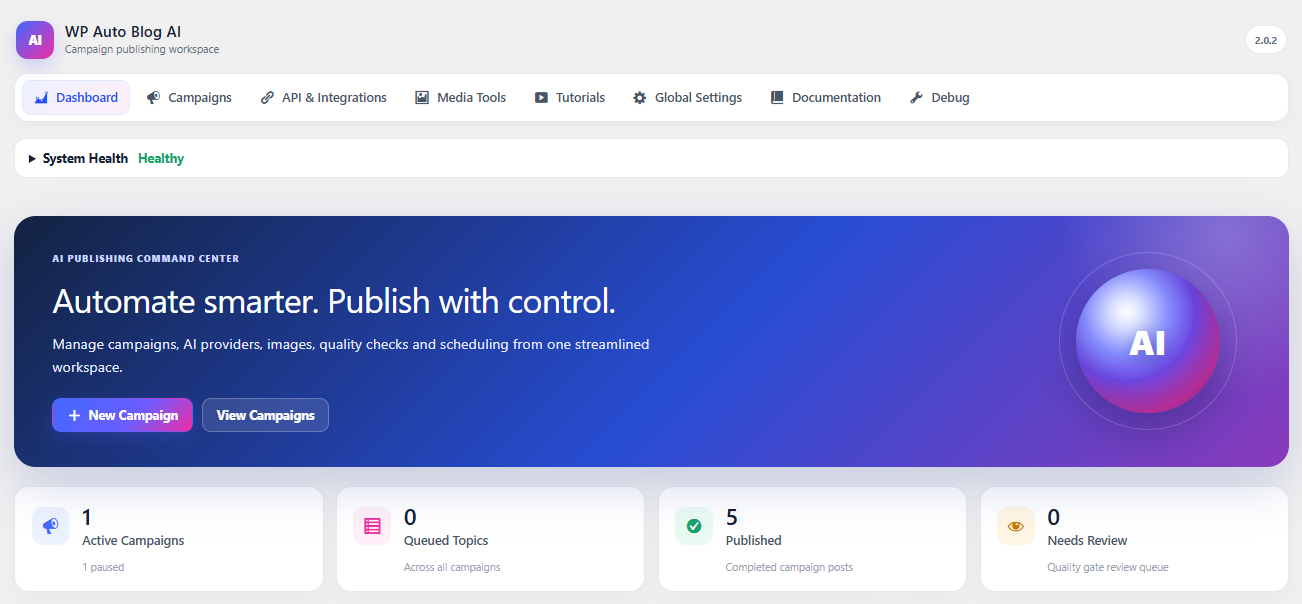
WP Auto Blog AI is more than an AI text generator. It works inside WordPress and handles the repetitive steps between a planned topic and a finished post.
Enter topics yourself or import a reviewed CSV list. You stay in control of what your website is going to write about.
Choose your AI provider, article length, style, formatting, images, SEO/linking preferences and detailed writing instructions.
WP Auto Blog AI writes the article, prepares images and applies your configured WordPress publishing settings.
Quality rules can check the article and request revisions before WordPress saves it as a draft, review item or published post.
A real walkthrough of the WordPress plugin and the tools you use to automate your blog.
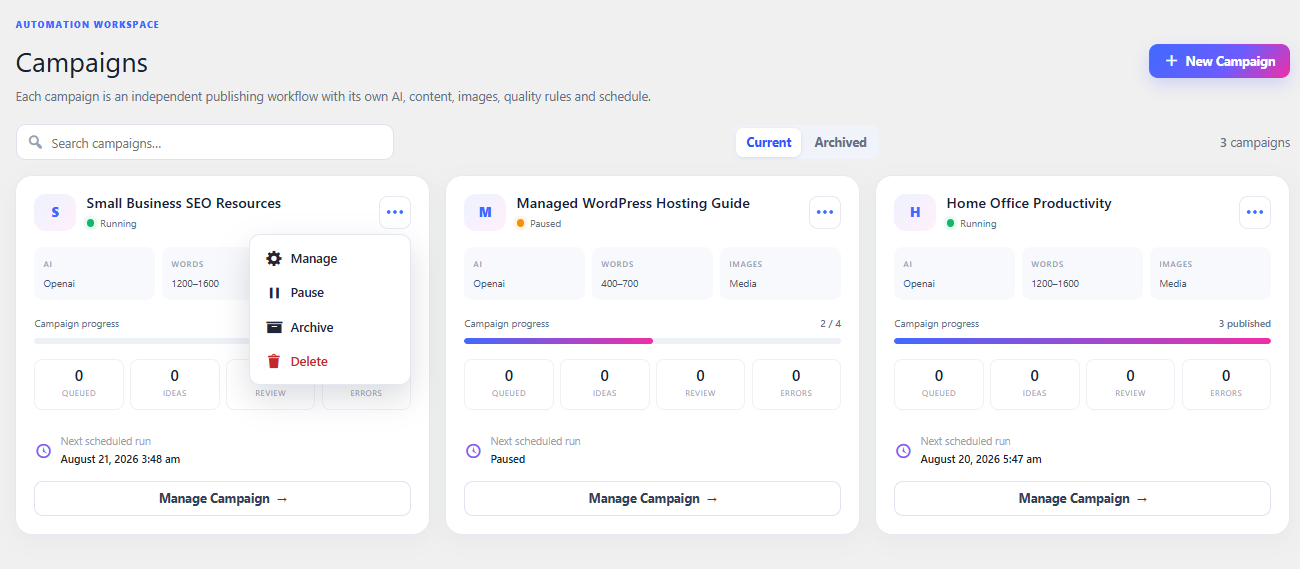
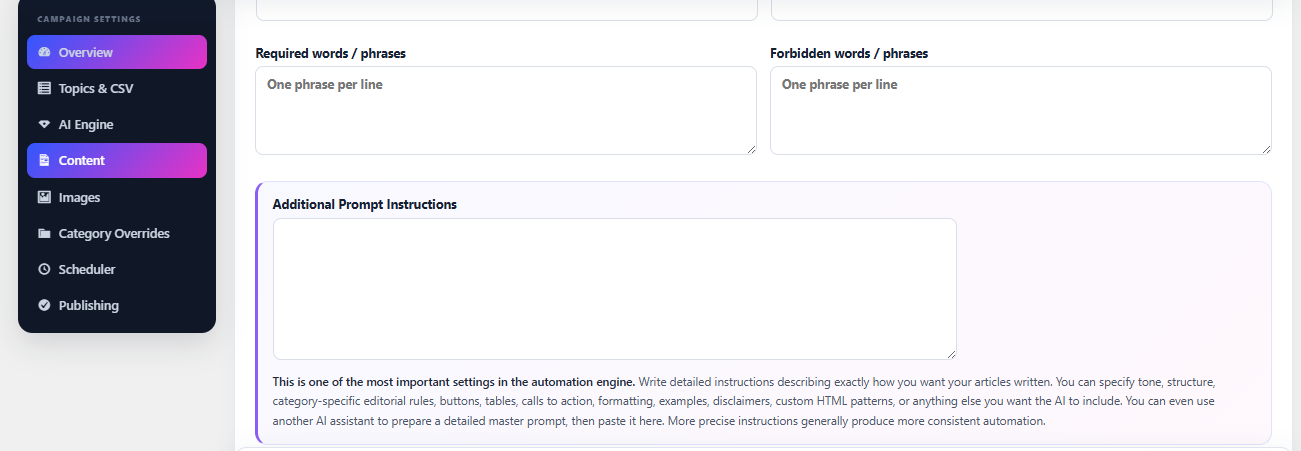
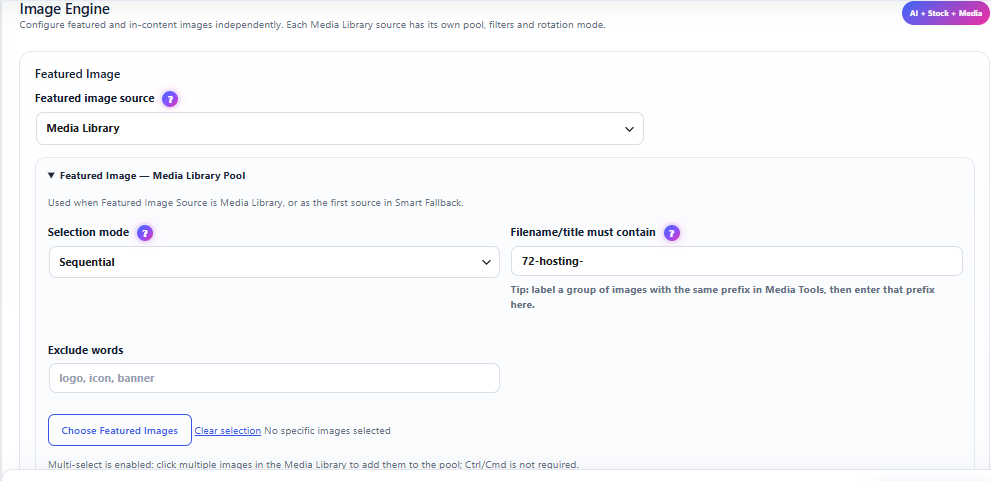
These are real screens from WP Auto Blog AI — not concept mockups.
Create separate automated publishing setups for different topics or categories. Each can have its own writing, image and scheduling rules.
Use Additional Prompt Instructions as your editorial brief. Ask for a tone, structure, FAQs, comparison tables, calls to action, headings, lists and other useful article elements.
Enhanced HTML / Rich Formatting can create richer WordPress-friendly layouts when requested.
Use your WordPress Media Library, Pexels, Pixabay or supported AI image generation. Featured images and images inside articles can follow different rules.
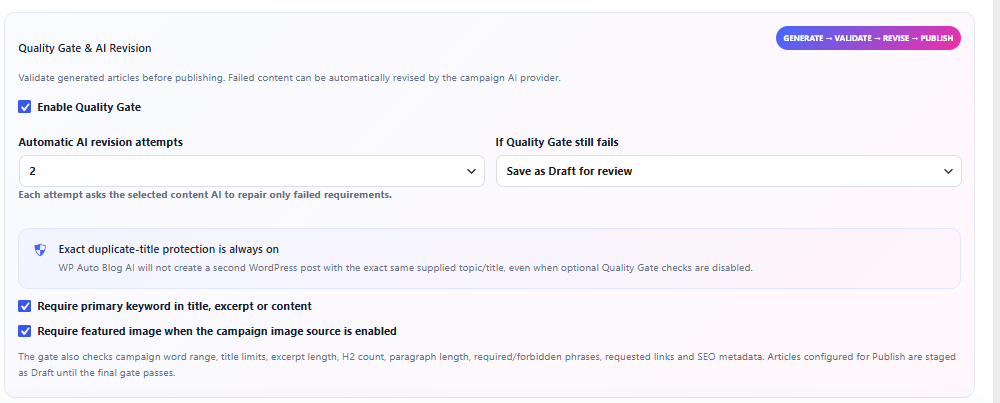
The Quality Gate checks the requirements you configure. When appropriate, WP Auto Blog AI can ask the selected AI provider to revise an article before it continues.
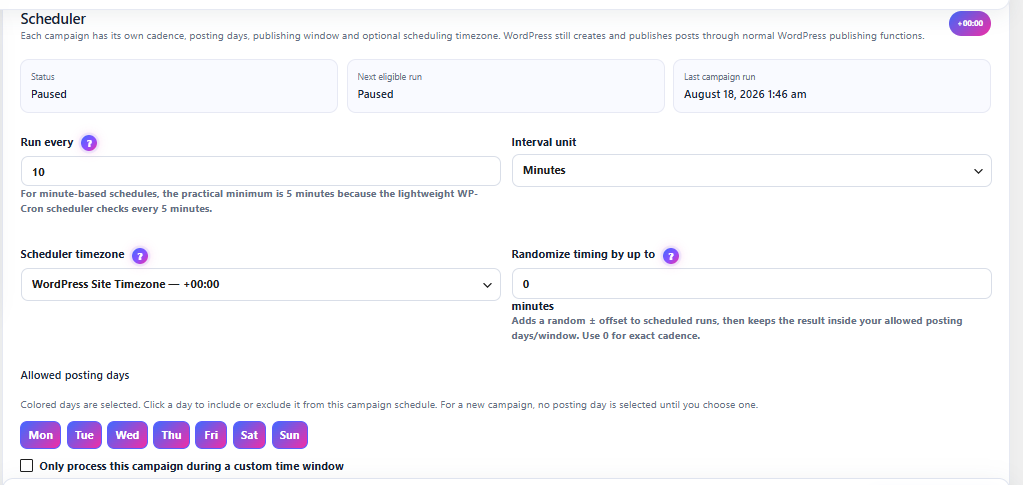
Set publishing days, time windows, intervals, limits and randomized timing. Pause automation whenever you want and see when the next run is expected.
WP Auto Blog AI uses WordPress scheduling. Sites needing tighter timing can optionally configure a real server cron.
Keep control over your content while WP Auto Blog AI takes care of repetitive production steps.
Use OpenAI, Claude, Gemini, DeepSeek or Grok. Connect your own provider account and stay in control of usage costs.
Prepare and review a large list of topics first, then import them instead of publishing random AI ideas.
Create useful tables, lists, FAQs, callouts, structured sections and permitted CTA markup when requested.
Use WordPress Media Library pools, Pexels, Pixabay and supported AI-generated image workflows.
Check configured requirements and optionally ask AI to repair failed requirements before publication.
Prepare Yoast or Rank Math metadata, focus terms, contextual internal links and controlled external links.
See generated-post SEO analysis status and calculate genuine pending Yoast scores from the plugin admin area.
Set a default WordPress author or choose a different author for individual automated publishing setups.
Choose days, publishing windows, intervals, limits, random timing and when automation should pause or resume.
WP Auto Blog AI does not bundle AI credits. You connect the supported services you want and pay those providers directly.
Start automating your WordPress blog without adding another monthly software bill.
 WP Auto Blog AI
Your installed version remains yours to use after the included update period. Continued access to future releases may require an optional update renewal.
Yes. It is designed to turn planned topics into WordPress posts with article content and your configured formatting, image, SEO, quality and publishing settings.
Yes. You connect your own supported provider API credentials. AI usage charges are separate from the WP Auto Blog AI purchase.
Yes. You can configure the WordPress post status and use a draft/review workflow rather than publishing automatically.
No. It can automate SEO-oriented settings and content workflows, but no software can guarantee rankings, traffic or revenue.
Automate the repetitive work while keeping control over what gets written and how it gets published.